


Author Archives: Anthony P. Kuzub
Why Audio Interoperability Thrives on the Most Common Commonality
Beyond the “Lowest Common Denominator”: Why Audio Interoperability Thrives on the Most Common Commonality
In the complex symphony of modern technology, where devices from countless manufacturers strive to communicate, audio interoperability stands as a crucial pillar. From our headphones and smartphones to professional recording studios and live event setups, the ability for sound to flow seamlessly between disparate systems is not just convenient – it’s essential. While the concept of a “lowest common denominator” might seem like a pragmatic approach to achieving universal compatibility, in the world of audio interoperability, it is the pursuit of the “most common commonality” that truly unlocks value and drives innovation. Continue reading
SDP meta data and channel information
The Protocol-Driven Stage: Why SDP Changes Everything for Live Sound
For decades, the foundation of a successful live show has been the patch master—a highly skilled human who translates a band’s technical needs (their stage plot and input list) into physical cables. The Festival Patch formalized this by making the mixing console channels static, minimizing changeover time by relying on human speed and organizational charts.
But what happens when the patch list becomes part of the digital DNA of the audio system?
The demonstration of embedding specific equipment metadata—like the microphone model ($\text{SM57}$), phantom power ($\text{P48}$), and gain settings—directly into the same protocol (SDP) that defines the stream count and routing, paves the way for the Automated Stage. Continue reading
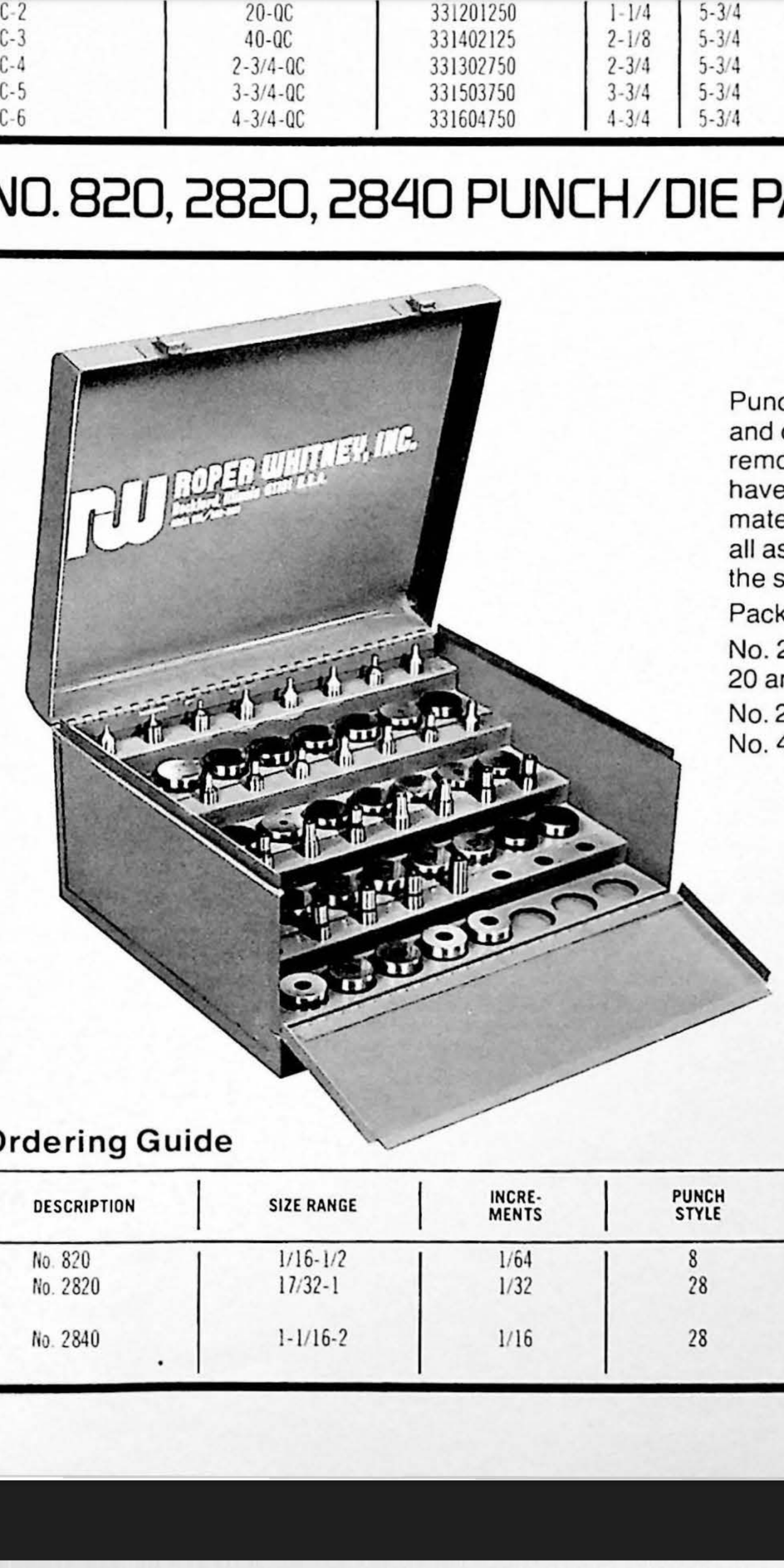
Roper whitney 2820 – .5″ to 1″ punch pack
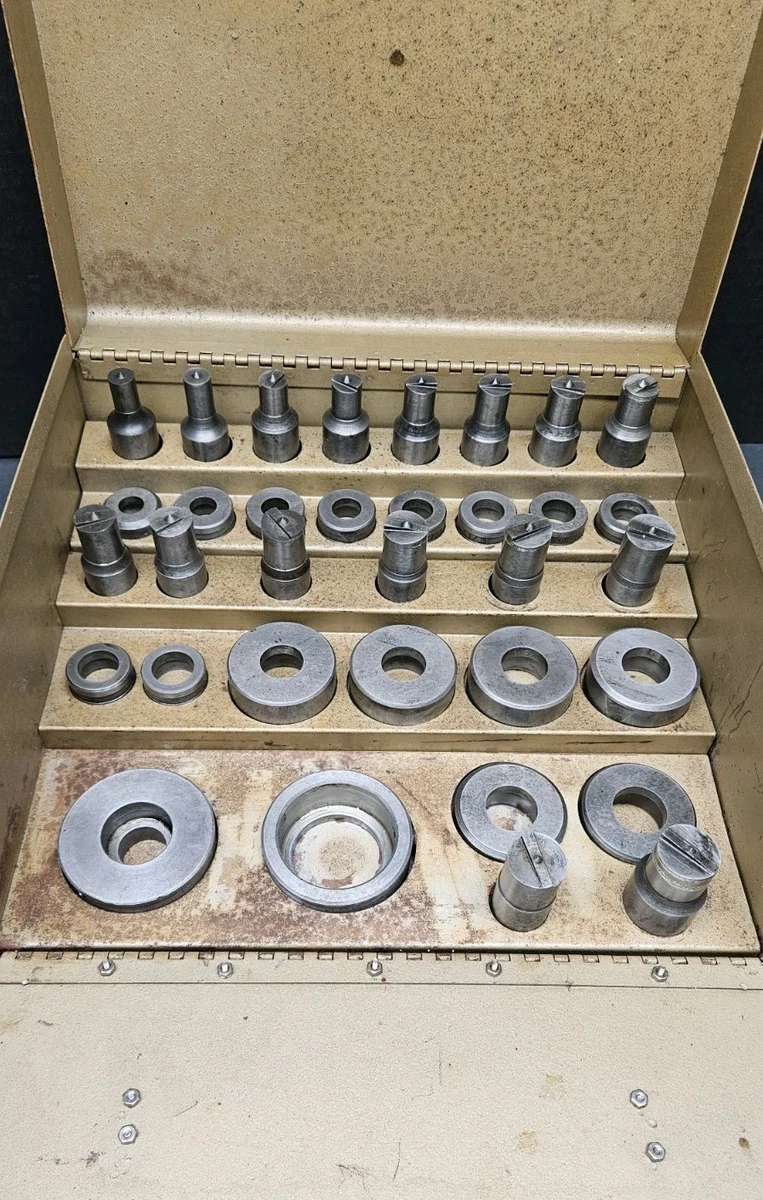

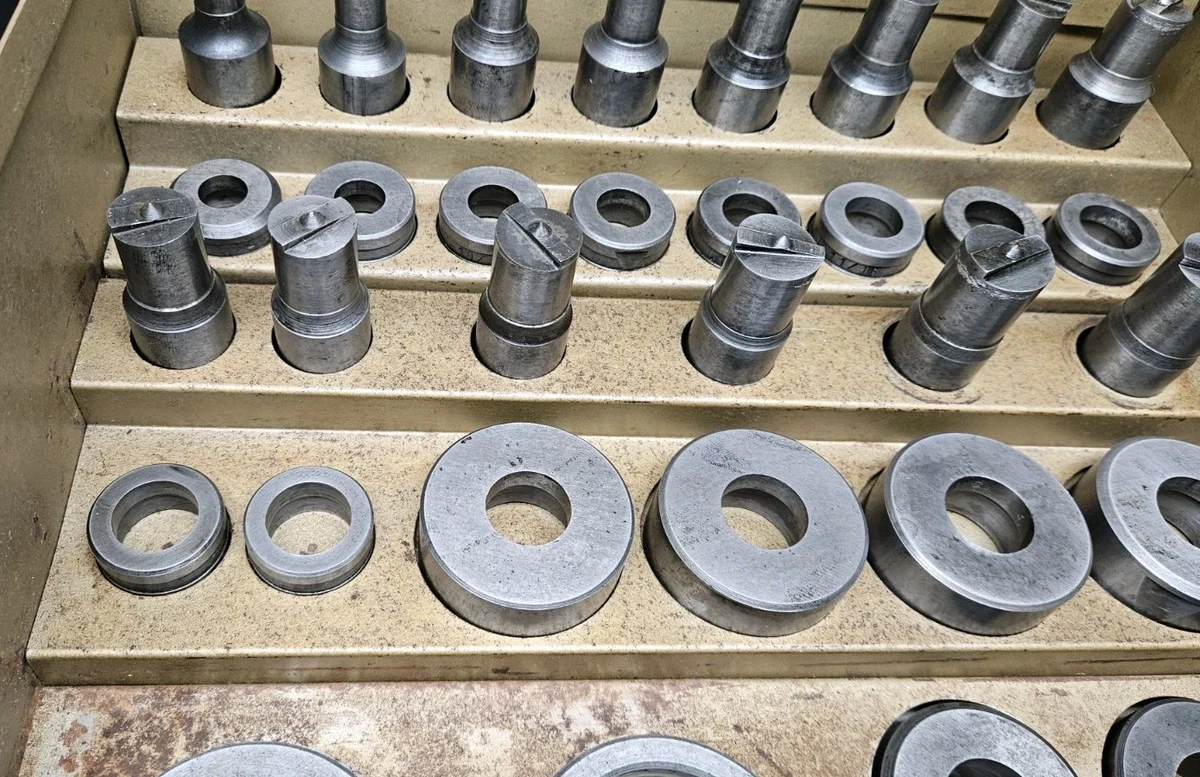
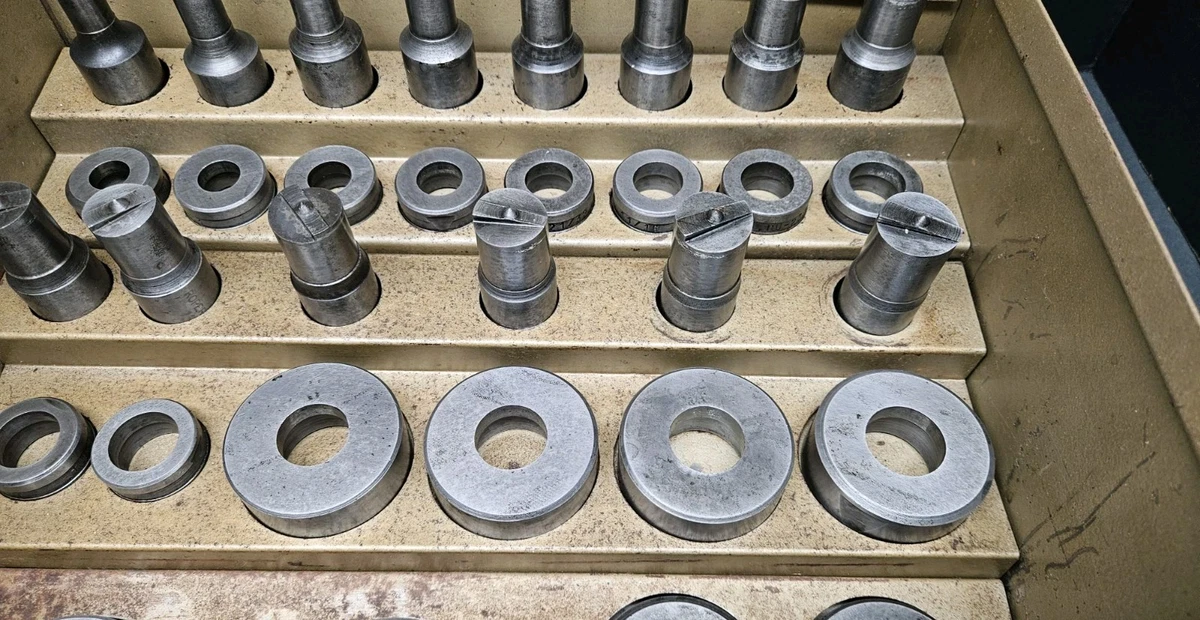
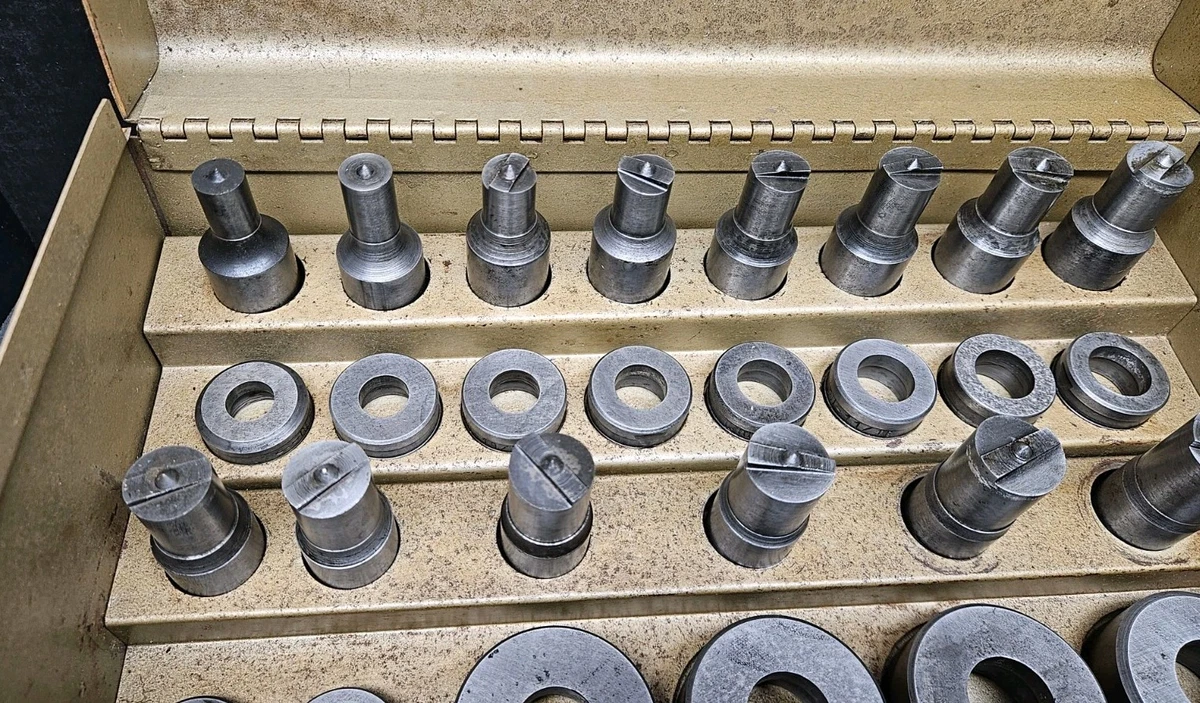



Empowering the user
Empowering the User: The Boeing vs. Airbus Philosophy in Software and Control System Design
In the world of aviation, the stark philosophical differences between Boeing and Airbus control systems offer a profound case study for user experience (UX) design in software and control systems. It’s a debate between tools that empower the user with ultimate control and intelligent assistance versus those that abstract away complexity and enforce protective boundaries. This fundamental tension – enabling vs. doing – is critical for any designer aiming to create intuitive, effective, and ultimately trusted systems.

The Core Dichotomy: Enablement vs. Automation
At the heart of the aviation analogy is the distinction between systems designed to enable a highly skilled user to perform their task with enhanced precision and safety, and systems designed to automate tasks, protecting the user from potential errors even if it means ceding some control.
Airbus: The “Doing It For You” Approach
Imagine a powerful, intelligent assistant that anticipates your needs and proactively prevents you from making mistakes. This is the essence of the Airbus philosophy, particularly in its “Normal Law” flight controls.
The Experience: The pilot provides high-level commands via a side-stick, and the computer translates these into safe, optimized control surface movements, continuously auto-trimming the aircraft.
The UX Takeaway:
Pros: Reduces workload, enforces safety limits, creates a consistent and predictable experience across the fleet, and can be highly efficient in routine operations. For novice users or high-stress environments, this can significantly lower the barrier to entry and reduce the cognitive load.
Cons: Can lead to a feeling of disconnect from the underlying mechanics. When something unexpected happens, the user might struggle to understand why the system is behaving a certain way or how to override its protective actions. The “unlinked” side-sticks can also create ambiguity in multi-user scenarios.
Software Analogy: Think of an advanced AI writing assistant that not only corrects grammar but also rewrites sentences for clarity, ensures brand voice consistency, and prevents you from using problematic phrases – even if you intended to use them for a specific effect. It’s safe, but less expressive. Or a “smart home” system that overrides your thermostat settings based on learned patterns, even when you want something different.
Boeing: The “Enabling You to Do It” Approach
Now, consider a sophisticated set of tools that amplify your skills, provide real-time feedback, and error-check your inputs, but always leave the final decision and physical control in your hands. This mirrors the Boeing philosophy.
The Experience: Pilots manipulate a traditional, linked yoke. While fly-by-wire technology filters and optimizes inputs, the system generally expects the pilot to manage trim and provides “soft limits” that can be overridden with sufficient force. The system assists, but the pilot remains the ultimate authority.
The UX Takeaway:
Pros: Fosters a sense of control and mastery, provides direct feedback through linked controls, allows for intuitive overrides in emergencies, and maintains the mental model of direct interaction. For expert users, this can lead to greater flexibility and a deeper understanding of the system’s behavior.
Cons: Can have a steeper learning curve, requires more active pilot management (e.g., trimming), and places a greater burden of responsibility on the user to stay within safe operating limits.
Software Analogy: This is like a professional photo editing suite where you have granular control over every aspect of an image. The software offers powerful filters and intelligent adjustments, but you’re always the one making the brush strokes, adjusting sliders, and approving changes. Or a sophisticated IDE (Integrated Development Environment) for a programmer: it offers powerful auto-completion, syntax highlighting, and debugging tools, but doesn’t write the code for you or prevent you from making a logical error, allowing you to innovate.
Designing for Trust: Error Checking Without Taking Over
The crucial design principle emerging from this comparison is the need for systems that provide robust error checking and intelligent assistance while preserving the user’s ultimate agency. The goal should be to create “smart tools,” not “autonomous overlords.”
Key Design Principles for Empowerment:
Transparency and Feedback: Users need to understand what the system is doing and why. Linked yokes provide immediate physical feedback. In software, this translates to clear status indicators, activity logs, and explanations for automated actions. If an AI suggests a change, explain its reasoning.
Soft Limits, Not Hard Gates: While safety is paramount, consider whether a protective measure should be an absolute barrier or a strong suggestion that can be bypassed in exceptional circumstances. Boeing’s “soft limits” allow pilots to exert authority when necessary. In software, this might mean warning messages instead of outright prevention, or giving the user an “override” option with appropriate warnings.
Configurability and Customization: Allow users to adjust the level of automation and assistance. Some users prefer more guidance, others more control. Provide options to switch between different “control laws” or modes that align with their skill level and current task.
Preserve Mental Models: Whenever possible, build upon existing mental models. Boeing’s yoke retains a traditional feel. In software, this means using familiar metaphors, consistent UI patterns, and avoiding overly abstract interfaces that require relearning fundamental interactions.
Enable, Don’t Replace: The most powerful tools don’t do the job for the user; they enable the user to do the job better, faster, and more safely. They act as extensions of the user’s capabilities, not substitutes.
The Future of UX: A Hybrid Approach
Ultimately, neither pure “Airbus” nor pure “Boeing” is universally superior. The ideal UX often lies in a hybrid approach, intelligently blending the strengths of both philosophies. For routine tasks, automation and protective limits are incredibly valuable. But when the unexpected happens, or when creativity and nuanced judgment are required, the system must gracefully step back and empower the human creator.
Designers must constantly ask: “Is this tool serving the user’s intent, or is it dictating it?” By prioritizing transparency, configurable assistance, and the user’s ultimate authority, we can build software and control systems that earn trust, foster mastery, and truly empower those who use them.
Immersive audio demonstration recordings
From Artist’s Intent to Technician’s Choice
In a world full of immersive buzzwords and increasingly complex production techniques, the recording artist’s original intentions can quickly become filtered through the lens of the technician’s execution.
I’ve been thinking about this a lot recently. I just acquired something that powerfully inspired my career in music—a piece of music heard the way it was truly intended before we fully grasped how to record and mix effectively in stereo. It was raw, immediate, and utterly captivating.
I feel we’re in a similar transition zone right now with immersive content production. We’re in the “stereo demo” phase of this new sonic dimension. We’re still learning the rules, and sometimes, the sheer capability of the technology overshadows the artistic purpose. The power of immersive sound shouldn’t just be about where we can place a sound, but where the story or the emotion demands it.
It brings me back to the core inspiration.


Putting the Mechanics into Quantum Mechanics
As we explore the frontier of quantum computing, we’re not just grappling with abstract concepts like superposition and entanglement—we’re engineering systems that manipulate light, matter, and energy at their most fundamental levels. In many ways, this feels like a return to analog principles, where computation is continuous rather than discrete.
A Return to Analog Thinking
Why “Red” and “Blue” Are Misleading in Network Architecture
In network design, naming conventions matter. They shape how engineers think about systems, how teams communicate, and how failures are diagnosed. Among the more popular—but problematic—naming schemes are “red” and “blue” architectures. While these color-coded labels may seem harmless or even intuitive, they often obscure the true nature of system behavior, especially in environments where redundancy is partial and control mechanisms are not fully mirrored.
“When you centralize the wrong thing, you concentrate the blast… Resiliency you don’t practice – is resiliency you don’t have” – David Plumber
The Illusion of Symmetry
The use of “red” and “blue” implies a kind of symmetrical duality—two systems operating in parallel, equally capable, equally active. This might be true in some high-availability setups, but in many real-world architectures, one side is clearly dominant. Whether due to bandwidth, control logic, or failover behavior, the systems are not truly equal. Calling them “red” and “blue” can mislead engineers into assuming a level of redundancy or balance that simply doesn’t exist.
Why “Main” and “Failover” Are Better
A more accurate and practical naming convention is “main” and “failover.” These terms reflect the intentional asymmetry in most network designs:
- Main: The primary path or controller, responsible for normal operations.
- Failover: A backup that activates only when the main system fails or becomes unreachable.
This terminology makes it clear that the system is not fully redundant—there is a preferred path, and a contingency path. It also helps clarify operational expectations, especially during troubleshooting or disaster recovery.
The Problem with “Primary” and “Secondary”
While “primary” and “secondary” are common alternatives, they carry their own baggage. These terms often imply that both systems are active and cooperating, which again may not reflect reality. In many architectures, the secondary system is passive, waiting to take over only in specific failure scenarios. Using “secondary” can lead to confusion about whether it’s actively participating in control or data flow.
Naming Should Reflect Behavior
Ultimately, naming conventions should reflect actual system behavior, not just abstract design goals. If one path is dominant and the other is a backup, call them main and failover. If both are active and load-balanced, then perhaps red/blue or A/B makes sense—but only with clear documentation.
Misleading names can lead to misconfigured systems, delayed recovery, and poor communication between teams. Precision in naming is not just pedantic—it’s operationally critical.
Alternative Terminology for Primary / Secondary Roles
- Anchor / Satellite
- Driver / Follower
- Coordinator / Participant
- Source / Relay
- Lead / Support
- Commander / Proxy
- Origin / Echo
- Core / Edge
- Root / Branch
- Beacon / Listener
- Pilot / Wingman
- Active / Passive
- Initiator / Responder
- Principal / Auxiliary
- Mainline / Standby
Auction 10/25


Wilton 600 MillOMatic – milling vise


The Case of the Conductive Cable Conundrum
I love interesting weird audio problems—the stranger the better! When a colleague reached out with a baffling issue of severe signal loading on their freshly built instrument cables, I knew it was right up my alley. It involved high-quality components behaving badly, and it was a great reminder that even experts can overlook a small but critical detail buried in the cable specifications. Continue reading
Onset Vs Outset
Onset
Onset generally refers to the start of something negative, unwelcome, or intense, often an event that seems to happen suddenly or that you did not choose.
- Meaning: The beginning or initial stage of something, especially something bad.
- Connotation: Negative, unwelcome, or inevitable.
- Typical Usage: Often used with diseases, weather, or negative conditions:
- The onset of flu symptoms.
- The onset of winter.
- The onset of war.
Outset
Outset simply refers to the start or beginning of an activity, process, or endeavor and carries a neutral or positive connotation. It is often used to refer to a starting point of an undertaking or a journey.
- Meaning: The beginning or start of a process, event, or period.
- Connotation: Neutral, often referring to a planned or chosen start.
- Typical Usage: Almost always used in the phrase “at the outset” or “from the outset”:
- He made his intentions clear at the outset of the meeting.
- There were problems with the project from the outset.
- She felt positive at the outset of her new career.
How Listening Is the Story: Why Audio Paints the Truest Pictures
How Listening Is the Story: Why Audio Paints the Truest Picture
By Anthony Kuzub
In an age dominated by high-definition screens and viral video, it’s easy to believe that seeing is believing, and that the richest experiences are those delivered through our eyes. But what if the deepest, most personal narratives aren’t found in pixels, but in vibrations? What if, in fact, listening is the story, and the pictures we perceive are often secondary, mere echoes of the sound that truly brings a narrative to life? As it turns out, there’s always more to imagine when you listen.
For centuries, before the advent of the printing press, let alone cinema, stories were primarily heard. They were sung, chanted, whispered, and declaimed around campfires and in great halls. The power of these tales resided not in their visual depiction, but in the narrator’s voice, the cadence of the language, and the vibrant tapestry of sound effects conjured by the imagination. Our brains are wired for this primal form of storytelling, acting as a personal, infinitely adaptable cinema for the mind, always ready to fill in the magnificent gaps.
The Brain: Your Personal IMAX – And Director
When you listen, particularly to an audiobook, a podcast, or a radio play, your brain shifts from passive consumption to active co-creation. The storyteller provides the blueprint: the dialogue, the ambient sounds, the pace, and the tone. Your imagination, in turn, becomes the ultimate set designer, costume department, and casting director. The rustle of leaves described by a narrator becomes your forest, filled with your specific species of trees and the quality of light you envision. A character’s voice sculpts their face, their posture, their very presence in a way no director’s camera could ever universally achieve. This is where the “more to imagine” truly comes alive.
This isn’t a deficiency; it’s a superpower. The pictures generated by your mind are infinitely more personal, detailed, and emotionally resonant than any external image. They are tailored to your unique experiences, memories, and desires, making the story not just something you observe, but something you inhabit. Every inflection, every pause, every sound effect becomes a prompt for your inner world to expand, offering an endless canvas for your own creativity.
The Primacy of Sound: A World of Evidence
Consider the very nature of media, and how sound consistently takes the lead:
* Dialogue Drives Drama: In film and television, while visuals are undeniably important, the plot, character development, and emotional arcs are predominantly carried by dialogue. Without the spoken word, most visual narratives would collapse into confusing pantomimes. The picture provides context, but the audio delivers content, making you lean in, listen closer, and imagine the unspoken details.
* The Power of Foley and Score: A horror film wouldn’t be scary without the screeching violin, the ominous bass, or the subtle creak in the dark. A romantic comedy relies on a soaring soundtrack to punctuate its tender moments. These sounds don’t just accompany the visual; they create the emotional landscape that the visuals then inhabit. Try watching a gripping scene on mute—the impact is drastically reduced, proving how integral the audio experience is. There’s always more emotion to imagine when the sound tells you how to feel.
* Closed Captions: The Ultimate Concession: Perhaps the most compelling evidence for the primacy of audio lies in closed captions. Why do they exist? Not because the visuals are insufficient, but because the audio, the actual spoken story, is sometimes inaccessible. Captions are a testament to the fact that even in a visually saturated world, the words, the sounds, the voices—the audio itself—remain the non-negotiable core of communication and storytelling. They are a visual representation of the audio, not the other way around, proving that even when we can’t hear, we still recognize that there’s more to imagine when you listen to the words, even if read.
In a society increasingly fragmented by endless visual stimuli, there’s a quiet revolution brewing: a rediscovery of the profound intimacy and imaginative freedom that comes from simply listening. Podcasts are soaring in popularity, audiobooks are challenging traditional print, and immersive audio experiences are pushing the boundaries of what stories can be. They all tap into that inherent human desire for richer, more personal engagement.
These formats don’t ask you to passively receive; they invite you to actively participate. They remind us that the most vivid images often aren’t seen with our eyes, but crafted in the unique, limitless theater of our minds, all thanks to the humble, yet powerful, act of listening. They affirm that there’s always more to imagine when you listen.
So, the next time you’re looking for a truly immersive experience, close your eyes, put on your headphones, and let the sounds paint the pictures. You might be surprised by the masterpiece your own mind can create.
Forgiveness
Forgiveness does not change the past, but it does enlarge the future” by Paul Boese
The Fitter’s Trap: Why Precision Must Replace Bespoke in Broadcast
How the lessons of the 19th-century workshop explain the future of AMWA NMOS and the shift to a Service Economy.
In the mid-19th century, Sir Joseph Whitworth gave the world a standard for the screw thread. It was a masterpiece of order, intended to make the mechanical world predictable. But while Britain invented the standard, it lost the manufacturing war. Why? Because British workshops refused to let go of “The Fitter.” Continue reading
Gray Tools – Wrench collection


You would be amazed…
You’d be amazed at how much of society stays functional just because 99.9% of people choose every day not to do anything crazy.
Rescuing Your Old Tapes: A Guide to Cassette Tape Restoration
Rescuing Your Old Tapes: A Guide to Cassette Tape Restoration
For those with treasured audio recordings on old cassette tapes from the 1970s and 80s, discovering they no longer play correctly can be heartbreaking. A common issue is the tape slipping and dragging, which can manifest as a screeching sound or simply an inability to move past the capstan. This frustrating problem is often a symptom of a condition known as “sticky-shed syndrome”, and fortunately, it’s one that can be fixed. 
Understanding Sticky-Shed Syndrome
The Center of Reverberation
The Center of Reverberation: From the First Pulse to the Intimate Decay
In the world of acoustics, we often talk about “space” as something we are in, but to understand the soul of a sound, we must look at where it begins and how it dies. If we combine the physical “Center of Mass” with the temporal “Center of Gravity,” we arrive at a concept we can call the Center of Reverberation.
This isn’t just a spot on a map; it is the mathematical and emotional balance point between a raw explosion of energy and the intimate whisper of a room.
1. The “Zero Point”: The Place Without Reverberation
Every sound begins at a First Point of Sound. Imagine a bomb detonating in a total vacuum or an anechoic chamber. In this “Zero Point,” there is no reverberation. There is only raw, directional energy moving outward at approximately 343 meters per second.
This is the “Center of Source.” It is pure, violent, and clinical. Because there are no reflections to give the sound context, your brain cannot tell how large the space is. Without reverberation, the sound has no “size”—it only has intensity.
2. The Early Energy Trail: The Birth of Shape
As that initial energy leaves the center, it strikes the world. The “Center of Reverberation” begins to form the millisecond that energy hits a boundary.
The Early Energy: These are the first reflections to return to your ears.
The Reflective Filter: The early energy “trails off” or holds strong based on the surfaces it hits. Hard marble preserves the energy; heavy velvet consumes it.
If the proximity of early reflections is close and the signal is strong, the sound feels “present.” This is the foundation of the Center of Reverberation: it is the point where the raw energy of the “bomb” meets the character of the room.
3. The Intimacy Gap: Creating the Space
In acoustics, Intimacy is defined by the time gap between the direct sound and the first reflection.
If the Center of Reverberation is “tight”—meaning the reflections follow the source almost instantly—the space feels small, private, and safe. If the center is “wide,” the space feels cathedral-like and distant.
The Paradox of Intimacy: To feel “close” to a sound, you actually need the room to talk back to you quickly. Without those early reflections, the sound feels “dead.” With them, the space itself becomes an instrument.
4. The Passive Shift: From Source to Field
As the sound continues to bounce, it moves from “active” energy (the source) to “passive” energy (the decay). The Center of Reverberation is the pivot point where the listener stops hearing a “thing making noise” and starts hearing “a room that is noisy.”
This is where the physics of mass and the physics of sound align:
Center of Mass tells us where an object is balanced in space.
Center of Reverberation tells us where the sound is balanced in time.
Conclusion: The Balance of the Pulse
The Center of Reverberation is the bridge between the Explosion and the Echo. It is the specific density of energy that allows a listener to feel the power of the first point of sound while being wrapped in the warmth of the environment.
Whether it is the crack of a drum or the boom of a firework, we don’t just hear the source; we hear the way the energy finds its center in the 3D world around us.
CSV to JSON structure utility


import tkinter as tk
from tkinter import filedialog, messagebox, ttk
import pandas as pd
import json
import os
import sys
import io
import re

class CSVToJSONApp(tk.Tk):
    """
    A Tkinter application to convert a CSV file to a nested JSON structure
    with dynamic grouping capabilities and a JSON preview feature.
    """
    def __init__(self):
        super().__init__()
        self.title("CSV to JSON Converter")
        self.geometry("1200x800")

        self.csv_filepath = ""
        self.headers = []
        self.header_widgets = {}

        # Capture print statements for debugging
        self.debug_log = io.StringIO()
        self.original_stdout = sys.stdout

        self.setup_frames()
        self.create_widgets()

    def setup_frames(self):
        """Creates the main frames for organizing the UI."""
        self.top_frame = tk.Frame(self, padx=10, pady=10)
        self.top_frame.pack(fill=tk.X)

        self.main_content_frame = tk.Frame(self, padx=10, pady=10)
        self.main_content_frame.pack(fill=tk.BOTH, expand=True)

        self.header_config_frame = tk.LabelFrame(self.main_content_frame, text="Header Configuration", padx=10, pady=10)
        self.header_config_frame.pack(side=tk.LEFT, fill=tk.BOTH, expand=True, padx=5, pady=5)

        self.output_frame = tk.LabelFrame(self.main_content_frame, text="JSON Output", padx=10, pady=10)
        self.output_frame.pack(side=tk.RIGHT, fill=tk.BOTH, expand=True, padx=5, pady=5)

        self.headers_canvas = tk.Canvas(self.header_config_frame)
        self.headers_canvas.pack(side=tk.LEFT, fill=tk.BOTH, expand=True)

        self.headers_scrollbar = ttk.Scrollbar(self.header_config_frame, orient=tk.VERTICAL, command=self.headers_canvas.yview)
        self.headers_scrollbar.pack(side=tk.RIGHT, fill=tk.Y)

        self.headers_canvas.configure(yscrollcommand=self.headers_scrollbar.set)
        self.headers_frame = tk.Frame(self.headers_canvas)
        self.headers_canvas.create_window((0, 0), window=self.headers_frame, anchor="nw")

        self.headers_frame.bind("<Configure>", lambda event: self.headers_canvas.configure(scrollregion=self.headers_canvas.bbox("all")))

        # Notebook for Treeview and Raw JSON view
        self.output_notebook = ttk.Notebook(self.output_frame)
        self.output_notebook.pack(fill=tk.BOTH, expand=True)

        # Treeview tab
        tree_frame = ttk.Frame(self.output_notebook)
        self.output_notebook.add(tree_frame, text='Structured View')
        self.treeview = ttk.Treeview(tree_frame, columns=('Value'), show='tree headings')
        self.treeview.heading('#0', text='Key')
        self.treeview.heading('Value', text='Value')
        self.treeview.pack(side=tk.LEFT, fill=tk.BOTH, expand=True)

        self.treeview_scrollbar = ttk.Scrollbar(tree_frame, orient=tk.VERTICAL, command=self.treeview.yview)
        self.treeview.configure(yscrollcommand=self.treeview_scrollbar.set)
        self.treeview_scrollbar.pack(side=tk.RIGHT, fill=tk.Y)

        # Raw JSON tab
        raw_frame = ttk.Frame(self.output_notebook)
        self.output_notebook.add(raw_frame, text='Raw JSON')
        self.raw_json_text = tk.Text(raw_frame, wrap=tk.WORD, font=("Consolas", 10))
        self.raw_json_text.pack(side=tk.LEFT, fill=tk.BOTH, expand=True)
        self.raw_json_scrollbar = ttk.Scrollbar(raw_frame, orient=tk.VERTICAL, command=self.raw_json_text.yview)
        self.raw_json_text.configure(yscrollcommand=self.raw_json_scrollbar.set)
        self.raw_json_scrollbar.pack(side=tk.RIGHT, fill=tk.Y)

    def create_widgets(self):
        """Creates and places all the widgets in the application window."""
        tk.Label(self.top_frame, text="Input CSV File:").grid(row=0, column=0, sticky="W", padx=5, pady=2)
        self.csv_path_entry = tk.Entry(self.top_frame, width=50)
        self.csv_path_entry.grid(row=0, column=1, padx=5, pady=2)
        self.csv_browse_button = tk.Button(self.top_frame, text="Browse...", command=self.load_csv_file)
        self.csv_browse_button.grid(row=0, column=2, padx=5, pady=2)

        tk.Label(self.top_frame, text="Output JSON File:").grid(row=1, column=0, sticky="W", padx=5, pady=2)
        self.json_path_entry = tk.Entry(self.top_frame, width=50)
        self.json_path_entry.grid(row=1, column=1, padx=5, pady=2)
        self.json_browse_button = tk.Button(self.top_frame, text="Browse...", command=self.save_json_file)
        self.json_browse_button.grid(row=1, column=2, padx=5, pady=2)

        tk.Label(self.top_frame, text="Root JSON Key Name:").grid(row=2, column=0, sticky="W", padx=5, pady=2)
        self.root_name_entry = tk.Entry(self.top_frame, width=20)
        self.root_name_entry.insert(0, "root")
        self.root_name_entry.grid(row=2, column=1, sticky="W", padx=5, pady=2)

        self.load_button = tk.Button(self.top_frame, text="Load Headers", command=self.load_headers)
        self.load_button.grid(row=3, column=0, pady=10)
        self.preview_button = tk.Button(self.top_frame, text="Preview JSON", command=self.preview_json)
        self.preview_button.grid(row=3, column=1, pady=10)
        self.convert_button = tk.Button(self.top_frame, text="Convert to JSON", command=self.convert_to_json)
        self.convert_button.grid(row=3, column=2, pady=10)

        self.headers_canvas.update_idletasks()
        self.headers_canvas.config(scrollregion=self.headers_canvas.bbox("all"))

    def load_csv_file(self):
        """Opens a file dialog to select the input CSV file."""
        filepath = filedialog.askopenfilename(defaultextension=".csv", filetypes=[("CSV files", "*.csv")])
        if filepath:
            self.csv_path_entry.delete(0, tk.END)
            self.csv_path_entry.insert(0, filepath)
            self.csv_filepath = filepath
            filename = os.path.basename(filepath)
            default_json_name = os.path.splitext(filename)[0] + ".json"
            self.json_path_entry.delete(0, tk.END)
            self.json_path_entry.insert(0, default_json_name)

    def save_json_file(self):
        """Opens a file dialog to specify the output JSON file path."""
        filepath = filedialog.asksaveasfilename(defaultextension=".json", filetypes=[("JSON files", "*.json")])
        if filepath:
            self.json_path_entry.delete(0, tk.END)
            self.json_path_entry.insert(0, filepath)

    def load_headers(self):
        """
        Reads headers from the selected CSV and creates UI controls for each,
        including grouping options.
        """
        for widget in self.headers_frame.winfo_children():
            widget.destroy()

        self.headers.clear()
        self.header_widgets.clear()

        if not self.csv_filepath or not os.path.exists(self.csv_filepath):
            messagebox.showerror("Error", "Please select a valid CSV file.")
            return

        try:
            df = pd.read_csv(self.csv_filepath, nrows=1, keep_default_na=False)
            self.headers = list(df.columns)

            # Default configuration from the screenshot
            default_config = {
                'KeyLevel_1': {'role': 'Value as Key', 'nested_under': 'root'},
                'KeyLevel_2': {'role': 'Value as Key', 'nested_under': 'KeyLevel_1'},
                'KeyLevel_3': {'role': 'Value as Key', 'nested_under': 'KeyLevel_2'},
                'KeyLevel_4': {'role': 'Value as Key', 'nested_under': 'KeyLevel_3'},
                'KeyLevel_5': {'role': 'Value as Key', 'nested_under': 'KeyLevel_4'},
                'default_value': {'role': 'Simple Value', 'nested_under': 'KeyLevel_5'},
                'Manufacturer_value': {'role': 'Hierarchical Key', 'nested_under': 'KeyLevel_5', 'part_name': 'parts'},
                'Device': {'role': 'Hierarchical Key', 'nested_under': 'Manufacturer_value', 'part_name': 'parts'},
                'VISA Command': {'role': 'Simple Value', 'nested_under': 'Device'},
                'validated': {'role': 'Simple Value', 'nested_under': 'Device'},
            }

            # Create a row of controls for each header
            tk.Label(self.headers_frame, text="JSON Key Name", font=("Arial", 10, "bold")).grid(row=0, column=0, padx=5, pady=2)
            tk.Label(self.headers_frame, text="Role", font=("Arial", 10, "bold")).grid(row=0, column=1, padx=5, pady=2)
            tk.Label(self.headers_frame, text="Nested Under", font=("Arial", 10, "bold")).grid(row=0, column=2, padx=5, pady=2)
            tk.Label(self.headers_frame, text="Part Name (e.g., 'contents')", font=("Arial", 10, "bold")).grid(row=0, column=3, padx=5, pady=2)


            for i, header in enumerate(self.headers):
                row_num = i + 1

                header_entry = tk.Entry(self.headers_frame, width=20)
                header_entry.insert(0, header)
                header_entry.grid(row=row_num, column=0, sticky="W", padx=5, pady=2)

                role_var = tk.StringVar()
                role_dropdown = ttk.Combobox(self.headers_frame, textvariable=role_var, state="readonly",
                                             values=["Hierarchical Key", "Sub Key", "Simple Value", "Value as Key", "Skip"])
                role_dropdown.grid(row=row_num, column=1, padx=5, pady=2)

                nested_under_var = tk.StringVar()
                nested_under_dropdown = ttk.Combobox(self.headers_frame, textvariable=nested_under_var, state="readonly", values=["root"])
                nested_under_dropdown.grid(row=row_num, column=2, padx=5, pady=2)

                part_name_entry = tk.Entry(self.headers_frame, width=25)
                part_name_entry.grid(row=row_num, column=3, padx=5, pady=2)

                self.header_widgets[header] = {
                    "header_entry": header_entry,
                    "role_var": role_var,
                    "nested_under_var": nested_under_var,
                    "nested_under_dropdown": nested_under_dropdown,
                    "part_name_entry": part_name_entry
                }

                # Apply default configuration if it exists
                if header in default_config:
                    config = default_config[header]
                    role_var.set(config['role'])
                    nested_under_var.set(config['nested_under'])
                    if 'part_name' in config:
                        part_name_entry.insert(0, config['part_name'])

                def toggle_widgets(event):
                    role = role_dropdown.get()
                    if role == "Hierarchical Key":
                        part_name_entry['state'] = 'normal'
                    else:
                        part_name_entry.delete(0, tk.END)
                        part_name_entry['state'] = 'disabled'

                    self.update_nested_under_dropdowns()
                    self.preview_json()

                role_dropdown.bind("<<ComboboxSelected>>", toggle_widgets)

            self.after(100, self.preview_json)

            self.headers_canvas.update_idletasks()
            self.headers_canvas.config(scrollregion=self.headers_canvas.bbox("all"))

        except Exception as e:
            messagebox.showerror("Error", f"Failed to read CSV headers: {e}")

    def update_nested_under_dropdowns(self):
        """Updates the options in the Nested Under dropdowns based on current roles."""
        parents = ["root"]
        for header, widgets in self.header_widgets.items():
            role = widgets['role_var'].get()
            if role == "Hierarchical Key" or role == "Value as Key":
                parents.append(header)

        for header, widgets in self.header_widgets.items():
            widgets['nested_under_dropdown']['values'] = parents
            if widgets['nested_under_var'].get() not in parents:
                widgets['nested_under_var'].set("root")

    def generate_json_from_config(self):
        """
        Helper function to generate JSON data from the current UI configuration.
        """
        self.debug_log = io.StringIO()
        sys.stdout = self.debug_log
        print("Starting JSON generation...\n")

        try:
            df = pd.read_csv(self.csv_filepath, keep_default_na=False)

            sort_by_columns = []
            header_map = {}
            for original_header, widgets in self.header_widgets.items():
                role = widgets["role_var"].get()
                json_key_name = widgets["header_entry"].get()
                nested_under = widgets["nested_under_var"].get()

                config = {
                    "original_header": original_header,
                    "json_key": json_key_name if role not in ["Value as Key"] else None,
                    "role": role,
                    "nested_under": nested_under
                }
                if role == "Hierarchical Key":
                    config["part_name"] = widgets["part_name_entry"].get() or "parts"
                    sort_by_columns.append(original_header)
                elif role == "Value as Key":
                    config["json_key"] = json_key_name
                    sort_by_columns.append(original_header)

                header_map[original_header] = config

            df.sort_values(by=sort_by_columns, inplace=True, kind='stable')

            print(f"Header Configuration Map: {json.dumps(header_map, indent=2)}")
            print(f"\nSorting by columns: {sort_by_columns}")

            root_name = self.root_name_entry.get()
            final_json = {root_name: []}

            final_json[root_name] = self.build_json_hierarchy(df, header_map, "root")

            if final_json[root_name] == []:
                messagebox.showerror("Error", "The root 'Hierarchical Key' or 'Value as Key' must be selected to form the root of the JSON structure.")
                return {}

            print("\nJSON generated successfully.")
            return final_json

        except Exception as e:
            messagebox.showerror("Error", f"An error occurred during generation: {e}")
            print(f"Error: {e}")
            return {}

    def preview_json(self):
        """Generates and displays a preview of the JSON output."""
        if not self.csv_filepath or not os.path.exists(self.csv_filepath):
            print("Please select a valid input CSV file to see a preview.")
            self.update_output_with_json({})
            return

        json_data = self.generate_json_from_config()
        # Only proceed if generation was successful and returned a non-empty dictionary
        if json_data:
            self.update_output_with_json(json_data)

    def convert_to_json(self):
        """Converts the CSV to JSON and saves the file."""
        json_filepath = self.json_path_entry.get()
        if not json_filepath:
            messagebox.showerror("Error", "Please specify an output JSON file name.")
            return

        json_data = self.generate_json_from_config()
        if not json_data:
            return

        try:
            with open(json_filepath, 'w') as f:
                json.dump(json_data, f, indent=4)

            self.update_output_with_json(json_data)
            messagebox.showinfo("Success", f"Successfully converted and saved to {json_filepath}")
        except Exception as e:
            messagebox.showerror("Error", f"Failed to save JSON file: {e}")

    def update_output_with_json(self, data):
        """
        Clears and populates the Treeview and Raw JSON viewer with JSON data.
        """
        # Update Treeview
        for item in self.treeview.get_children():
            self.treeview.delete(item)

        def insert_items(parent, dictionary):
            if isinstance(dictionary, dict):
                for key, value in dictionary.items():
                    if isinstance(value, (dict, list)):
                        node = self.treeview.insert(parent, 'end', text=key, open=True)
                        insert_items(node, value)
                    else:
                        self.treeview.insert(parent, 'end', text=key, values=(value,))
            elif isinstance(dictionary, list):
                for i, item in enumerate(dictionary):
                    if isinstance(item, (dict, list)):
                        node = self.treeview.insert(parent, 'end', text=f"[{i}]", open=True)
                        insert_items(node, item)
                    else:
                        self.treeview.insert(parent, 'end', text=f"[{i}]", values=(item,))

        insert_items('', data)

        # Update Raw JSON viewer
        self.raw_json_text.delete(1.0, tk.END)
        try:
            formatted_json = json.dumps(data, indent=4)
            self.raw_json_text.insert(tk.END, formatted_json)
        except Exception as e:
            self.raw_json_text.insert(tk.END, f"Error formatting JSON: {e}")

        sys.stdout = self.original_stdout
        print(self.debug_log.getvalue())
        sys.stdout = self.debug_log
        self.debug_log.seek(0)
        self.debug_log.truncate(0)

    def build_json_hierarchy(self, df, header_map, parent_key):
        """
        Recursively builds the JSON structure from the grouped DataFrame.
        This version now correctly handles multiple grouping keys per level.
        """
        output_list = []
        print(f"\n--- build_json_hierarchy called with parent_key: '{parent_key}' and DataFrame size: {len(df)}")

        # Get all headers nested under the current parent_key
        current_level_configs = sorted(
            [h for h in header_map.values() if h['nested_under'] == parent_key and h['role'] != "Skip"],
            key=lambda x: self.headers.index(x['original_header'])
        )

        # Find the first grouping key for this level
        first_grouping_key_config = next((h for h in current_level_configs if h['role'] in ["Hierarchical Key", "Value as Key"]), None)

        # Base case: No more grouping keys at this level
        if first_grouping_key_config is None:
            print(f"No more grouping keys for parent_key: '{parent_key}'. Processing simple key-value pairs.")
            output_list = []
            if not df.empty:
                simple_configs = [h for h in current_level_configs if h['role'] in ["Simple Value", "Sub Key"]]

                for _, row in df.iterrows():
                    node = {}
                    for header_config in simple_configs:
                        original_header = header_config['original_header']
                        json_key = header_config['json_key']
                        value = row[original_header]

                        if pd.notna(value) and value != '':
                            if isinstance(value, bool):
                                value = str(value).lower()
                            node[json_key] = value
                    if node:
                        output_list.append(node)
            return output_list

        first_grouping_key = first_grouping_key_config['original_header']
        grouped_df = df.groupby(first_grouping_key, sort=False)

        for key_value, group in grouped_df:
            node = {}

            # Build the current node based on the first grouping key
            if first_grouping_key_config['role'] == "Value as Key":
                # Recursively build the children under this node
                children = self.build_json_hierarchy(group, header_map, first_grouping_key)

                # We need to correctly handle the children returned from the recursive call.
                # If there are multiple, they should be merged into a single dictionary.
                merged_children = {}
                if children and isinstance(children, list):
                    for child_dict in children:
                        merged_children.update(child_dict)
                elif children and isinstance(children, dict):
                    merged_children.update(children)

                node[key_value] = merged_children

            elif first_grouping_key_config['role'] == "Hierarchical Key":
                # Proactively convert key_value to string if it's a boolean
                if isinstance(key_value, bool):
                    key_value = str(key_value).lower()

                node[first_grouping_key_config['json_key']] = key_value
                node[first_grouping_key_config['part_name']] = self.build_json_hierarchy(group, header_map, first_grouping_key)

            output_list.append(node)

        return output_list

if __name__ == "__main__":
    app = CSVToJSONApp()
    app.mainloop()