The team meets and learns about the opportunity and challenges, and then agrees on goals and tackles tasks.
The Vibe: Polite, positive, but uncertain. People are treating it like a cocktail party—putting their best foot forward and avoiding conflict.
Key Behaviors: Asking basic questions, looking for structure, defining the scope (e.g., “Which devices go where?”).
Leader’s Role:Directing. You must provide clear goals, specific roles, and firm timelines. The team relies on you for structure.
2. Storming (The Danger Zone)
This is the stage where different ideas compete for consideration. It is the most critical and difficult stage to pass through.
The Vibe: High friction. The polite facade drops. People may clash over work styles, technical approaches (e.g., “Why are we handling GPIO triggers this way?”), or authority.
Key Behaviors: Pushback against tasks, arguments, formation of cliques.
Leader’s Role:Coaching. You need to resolve conflicts, remain accessible, and remind the team of the “Why.” Don’t avoid the conflict; manage it so it becomes constructive.
3. Norming (The Alignment)
The team resolves their quarrels and personality clashes, resulting in greater intimacy and a spirit of co-operation.
The Vibe: Relief and cohesion. People start to accept each other’s quirks and respect differing strengths.
Key Behaviors: Establishing the “rules of engagement,” constructive feedback, sharing of data and resources without being asked.
Leader’s Role:Supporting. Step back a little. Facilitate discussions rather than dictating them. Let the team take ownership of the process.
4. Performing (The Flow)
The team reaches a high level of success and functions as a unit. They find ways to get the job done smoothly and effectively without inappropriate conflict or the need for external supervision.
The Vibe: High energy, high trust. The focus is entirely on the goal, not the internal politics.
Key Behaviors: Autonomous decision-making, rapid problem solving, high output.
Leader’s Role:Delegating. Get out of their way. Focus on high-level strategy and removing external blockers.
The “Hidden” 5th Stage: Adjourning
Tuckman added this later. It refers to the breaking up of the team after the task is completed.
The Vibe: Bittersweet. Pride in what was accomplished (the deployed system works!) but sadness that the group is separating.
Leader’s Role:Recognition. Celebrate the win and capture lessons learned for the next project.
The Art of Media-tion: Bridging the Gap Between “Secure” and “Now”
In the high-stakes world of modern infrastructure, two distinct tribes are forced to share the same territory.
On one side, the Network Team. They are the gatekeepers. Their priorities are clear: Security, Stability, and Standardization. They live by the firewall and die by the protocol. Continue reading →
It’s a question that gets to the heart of how we understand the universe: “Does radio frequency (RF) move over photons?” The intuitive answer, based on how we experience sound traveling through air or ripples on water, might be “yes.” It seems logical to imagine radio waves “surfing” on a sea of tiny particles.
However, the reality of quantum physics is far stranger and more counterintuitive. The short answer is no. Radio frequency does not move over photons. Instead, a radio wave consists of photons.
This concept is notoriously difficult to grasp. It challenges our everyday perception of the world and requires us to accept one of the most mind-bending ideas in science: wave-particle duality. Let’s break down why this relationship is so complicated. Continue reading →
💡 The Mixer, My Grandfather, and the Looming Crisis of Unfixable Electronics
My weekend project—a powered mixer for a friend—was a powerful, hands-on lesson in the changing nature of electronics and the fight for the Right to Repair.
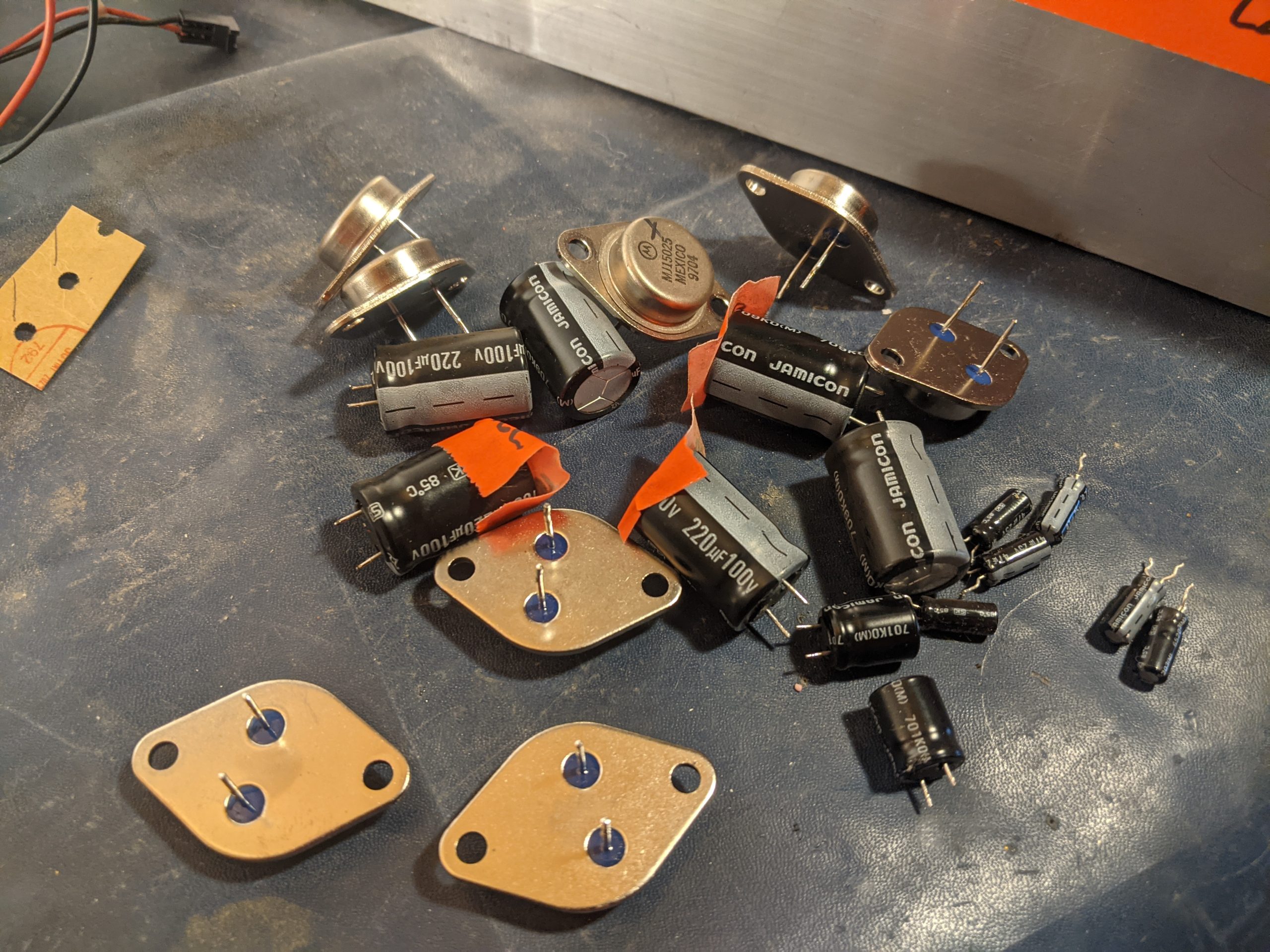
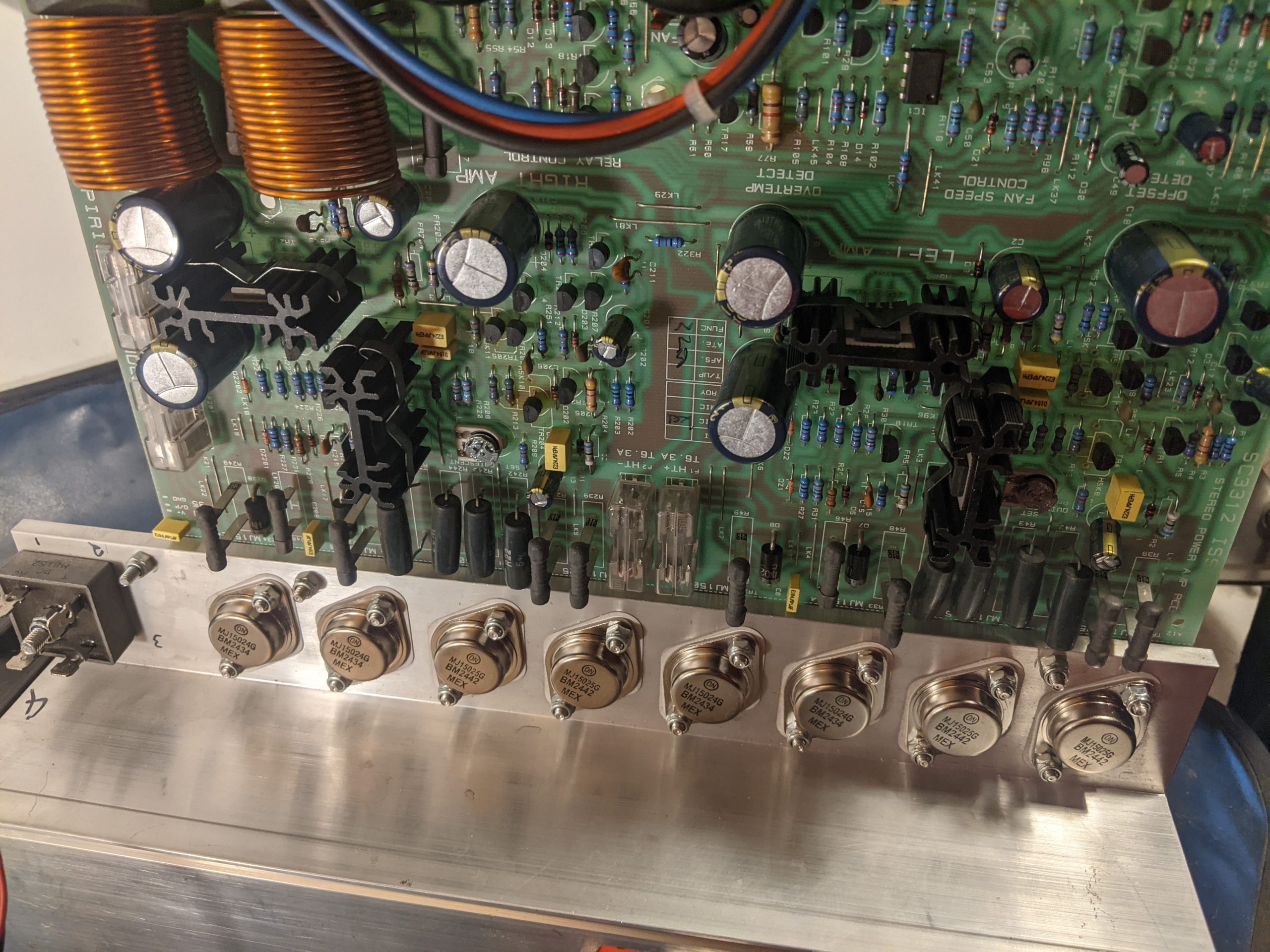
For a friend, I made an exception to my usual “no bench work” rule. The diagnosis was classic: a blown channel, likely from speakers incorrectly wired in parallel. Instead of a minimal patch job, I opted for a full refurbishment, the way I was taught: new, high-quality Panasonic FC caps and fresh, matched transistors. A labour of love, not profit. Continue reading →
Beyond the “Lowest Common Denominator”: Why Audio Interoperability Thrives on the Most Common Commonality
In the complex symphony of modern technology, where devices from countless manufacturers strive to communicate, audio interoperability stands as a crucial pillar. From our headphones and smartphones to professional recording studios and live event setups, the ability for sound to flow seamlessly between disparate systems is not just convenient – it’s essential. While the concept of a “lowest common denominator” might seem like a pragmatic approach to achieving universal compatibility, in the world of audio interoperability, it is the pursuit of the “most common commonality” that truly unlocks value and drives innovation. Continue reading →
The Protocol-Driven Stage: Why SDP Changes Everything for Live Sound
For decades, the foundation of a successful live show has been the patch master—a highly skilled human who translates a band’s technical needs (their stage plot and input list) into physical cables. The Festival Patch formalized this by making the mixing console channels static, minimizing changeover time by relying on human speed and organizational charts.
But what happens when the patch list becomes part of the digital DNA of the audio system?
The demonstration of embedding specific equipment metadata—like the microphone model ($\text{SM57}$), phantom power ($\text{P48}$), and gain settings—directly into the same protocol (SDP) that defines the stream count and routing, paves the way for the Automated Stage. Continue reading →
Empowering the User: The Boeing vs. Airbus Philosophy in Software and Control System Design
In the world of aviation, the stark philosophical differences between Boeing and Airbus control systems offer a profound case study for user experience (UX) design in software and control systems. It’s a debate between tools that empower the user with ultimate control and intelligent assistance versus those that abstract away complexity and enforce protective boundaries. This fundamental tension – enabling vs. doing – is critical for any designer aiming to create intuitive, effective, and ultimately trusted systems.
The Core Dichotomy: Enablement vs. Automation
At the heart of the aviation analogy is the distinction between systems designed to enable a highly skilled user to perform their task with enhanced precision and safety, and systems designed to automate tasks, protecting the user from potential errors even if it means ceding some control.
Airbus: The “Doing It For You” Approach
Imagine a powerful, intelligent assistant that anticipates your needs and proactively prevents you from making mistakes. This is the essence of the Airbus philosophy, particularly in its “Normal Law” flight controls.
The Experience: The pilot provides high-level commands via a side-stick, and the computer translates these into safe, optimized control surface movements, continuously auto-trimming the aircraft.
The UX Takeaway:
Pros: Reduces workload, enforces safety limits, creates a consistent and predictable experience across the fleet, and can be highly efficient in routine operations. For novice users or high-stress environments, this can significantly lower the barrier to entry and reduce the cognitive load.
Cons: Can lead to a feeling of disconnect from the underlying mechanics. When something unexpected happens, the user might struggle to understand why the system is behaving a certain way or how to override its protective actions. The “unlinked” side-sticks can also create ambiguity in multi-user scenarios.
Software Analogy: Think of an advanced AI writing assistant that not only corrects grammar but also rewrites sentences for clarity, ensures brand voice consistency, and prevents you from using problematic phrases – even if you intended to use them for a specific effect. It’s safe, but less expressive. Or a “smart home” system that overrides your thermostat settings based on learned patterns, even when you want something different.
Boeing: The “Enabling You to Do It” Approach
Now, consider a sophisticated set of tools that amplify your skills, provide real-time feedback, and error-check your inputs, but always leave the final decision and physical control in your hands. This mirrors the Boeing philosophy.
The Experience: Pilots manipulate a traditional, linked yoke. While fly-by-wire technology filters and optimizes inputs, the system generally expects the pilot to manage trim and provides “soft limits” that can be overridden with sufficient force. The system assists, but the pilot remains the ultimate authority.
The UX Takeaway:
Pros: Fosters a sense of control and mastery, provides direct feedback through linked controls, allows for intuitive overrides in emergencies, and maintains the mental model of direct interaction. For expert users, this can lead to greater flexibility and a deeper understanding of the system’s behavior.
Cons: Can have a steeper learning curve, requires more active pilot management (e.g., trimming), and places a greater burden of responsibility on the user to stay within safe operating limits.
Software Analogy: This is like a professional photo editing suite where you have granular control over every aspect of an image. The software offers powerful filters and intelligent adjustments, but you’re always the one making the brush strokes, adjusting sliders, and approving changes. Or a sophisticated IDE (Integrated Development Environment) for a programmer: it offers powerful auto-completion, syntax highlighting, and debugging tools, but doesn’t write the code for you or prevent you from making a logical error, allowing you to innovate.
Designing for Trust: Error Checking Without Taking Over
The crucial design principle emerging from this comparison is the need for systems that provide robust error checking and intelligent assistance while preserving the user’s ultimate agency. The goal should be to create “smart tools,” not “autonomous overlords.”
Key Design Principles for Empowerment:
Transparency and Feedback: Users need to understand what the system is doing and why. Linked yokes provide immediate physical feedback. In software, this translates to clear status indicators, activity logs, and explanations for automated actions. If an AI suggests a change, explain its reasoning.
Soft Limits, Not Hard Gates: While safety is paramount, consider whether a protective measure should be an absolute barrier or a strong suggestion that can be bypassed in exceptional circumstances. Boeing’s “soft limits” allow pilots to exert authority when necessary. In software, this might mean warning messages instead of outright prevention, or giving the user an “override” option with appropriate warnings.
Configurability and Customization: Allow users to adjust the level of automation and assistance. Some users prefer more guidance, others more control. Provide options to switch between different “control laws” or modes that align with their skill level and current task.
Preserve Mental Models: Whenever possible, build upon existing mental models. Boeing’s yoke retains a traditional feel. In software, this means using familiar metaphors, consistent UI patterns, and avoiding overly abstract interfaces that require relearning fundamental interactions.
Enable, Don’t Replace: The most powerful tools don’t do the job for the user; they enable the user to do the job better, faster, and more safely. They act as extensions of the user’s capabilities, not substitutes.
The Future of UX: A Hybrid Approach
Ultimately, neither pure “Airbus” nor pure “Boeing” is universally superior. The ideal UX often lies in a hybrid approach, intelligently blending the strengths of both philosophies. For routine tasks, automation and protective limits are incredibly valuable. But when the unexpected happens, or when creativity and nuanced judgment are required, the system must gracefully step back and empower the human creator.
Designers must constantly ask: “Is this tool serving the user’s intent, or is it dictating it?” By prioritizing transparency, configurable assistance, and the user’s ultimate authority, we can build software and control systems that earn trust, foster mastery, and truly empower those who use them.
In a world full of immersive buzzwords and increasingly complex production techniques, the recording artist’s original intentions can quickly become filtered through the lens of the technician’s execution.
I’ve been thinking about this a lot recently. I just acquired something that powerfully inspired my career in music—a piece of music heard the way it was truly intended before we fully grasped how to record and mix effectively in stereo. It was raw, immediate, and utterly captivating.
I feel we’re in a similar transition zone right now with immersive content production. We’re in the “stereo demo” phase of this new sonic dimension. We’re still learning the rules, and sometimes, the sheer capability of the technology overshadows the artistic purpose. The power of immersive sound shouldn’t just be about where we can place a sound, but where the story or the emotion demands it.
As we explore the frontier of quantum computing, we’re not just grappling with abstract concepts like superposition and entanglement—we’re engineering systems that manipulate light, matter, and energy at their most fundamental levels. In many ways, this feels like a return to analog principles, where computation is continuous rather than discrete.
In network design, naming conventions matter. They shape how engineers think about systems, how teams communicate, and how failures are diagnosed. Among the more popular—but problematic—naming schemes are “red” and “blue” architectures. While these color-coded labels may seem harmless or even intuitive, they often obscure the true nature of system behavior, especially in environments where redundancy is partial and control mechanisms are not fully mirrored.
“When you centralize the wrong thing, you concentrate the blast… Resiliency you don’t practice – is resiliency you don’t have” – David Plumber
The Illusion of Symmetry
The use of “red” and “blue” implies a kind of symmetrical duality—two systems operating in parallel, equally capable, equally active. This might be true in some high-availability setups, but in many real-world architectures, one side is clearly dominant. Whether due to bandwidth, control logic, or failover behavior, the systems are not truly equal. Calling them “red” and “blue” can mislead engineers into assuming a level of redundancy or balance that simply doesn’t exist.
Why “Main” and “Failover” Are Better
A more accurate and practical naming convention is “main” and “failover.” These terms reflect the intentional asymmetry in most network designs:
Main: The primary path or controller, responsible for normal operations.
Failover: A backup that activates only when the main system fails or becomes unreachable.
This terminology makes it clear that the system is not fully redundant—there is a preferred path, and a contingency path. It also helps clarify operational expectations, especially during troubleshooting or disaster recovery.
The Problem with “Primary” and “Secondary”
While “primary” and “secondary” are common alternatives, they carry their own baggage. These terms often imply that both systems are active and cooperating, which again may not reflect reality. In many architectures, the secondary system is passive, waiting to take over only in specific failure scenarios. Using “secondary” can lead to confusion about whether it’s actively participating in control or data flow.
Naming Should Reflect Behavior
Ultimately, naming conventions should reflect actual system behavior, not just abstract design goals. If one path is dominant and the other is a backup, call them main and failover. If both are active and load-balanced, then perhaps red/blue or A/B makes sense—but only with clear documentation.
Misleading names can lead to misconfigured systems, delayed recovery, and poor communication between teams. Precision in naming is not just pedantic—it’s operationally critical.
Alternative Terminology for Primary / Secondary Roles
I love interesting weird audio problems—the stranger the better! When a colleague reached out with a baffling issue of severe signal loading on their freshly built instrument cables, I knew it was right up my alley. It involved high-quality components behaving badly, and it was a great reminder that even experts can overlook a small but critical detail buried in the cable specifications. Continue reading →
Onset generally refers to the start of something negative, unwelcome, or intense, often an event that seems to happen suddenly or that you did not choose.
Meaning: The beginning or initial stage of something, especially something bad.
Connotation: Negative, unwelcome, or inevitable.
Typical Usage: Often used with diseases, weather, or negative conditions:
The onset of flu symptoms.
The onset of winter.
The onset of war.
Outset
Outset simply refers to the start or beginning of an activity, process, or endeavor and carries a neutral or positive connotation. It is often used to refer to a starting point of an undertaking or a journey.
Meaning: The beginning or start of a process, event, or period.
Connotation: Neutral, often referring to a planned or chosen start.
Typical Usage: Almost always used in the phrase “at the outset” or “from the outset”:
He made his intentions clear at the outset of the meeting.
There were problems with the project from the outset.
She felt positive at the outset of her new career.
How the lessons of the 19th-century workshop explain the future of AMWA NMOS and the shift to a Service Economy.
In the mid-19th century, Sir Joseph Whitworth gave the world a standard for the screw thread. It was a masterpiece of order, intended to make the mechanical world predictable. But while Britain invented the standard, it lost the manufacturing war. Why? Because British workshops refused to let go of “The Fitter.” Continue reading →