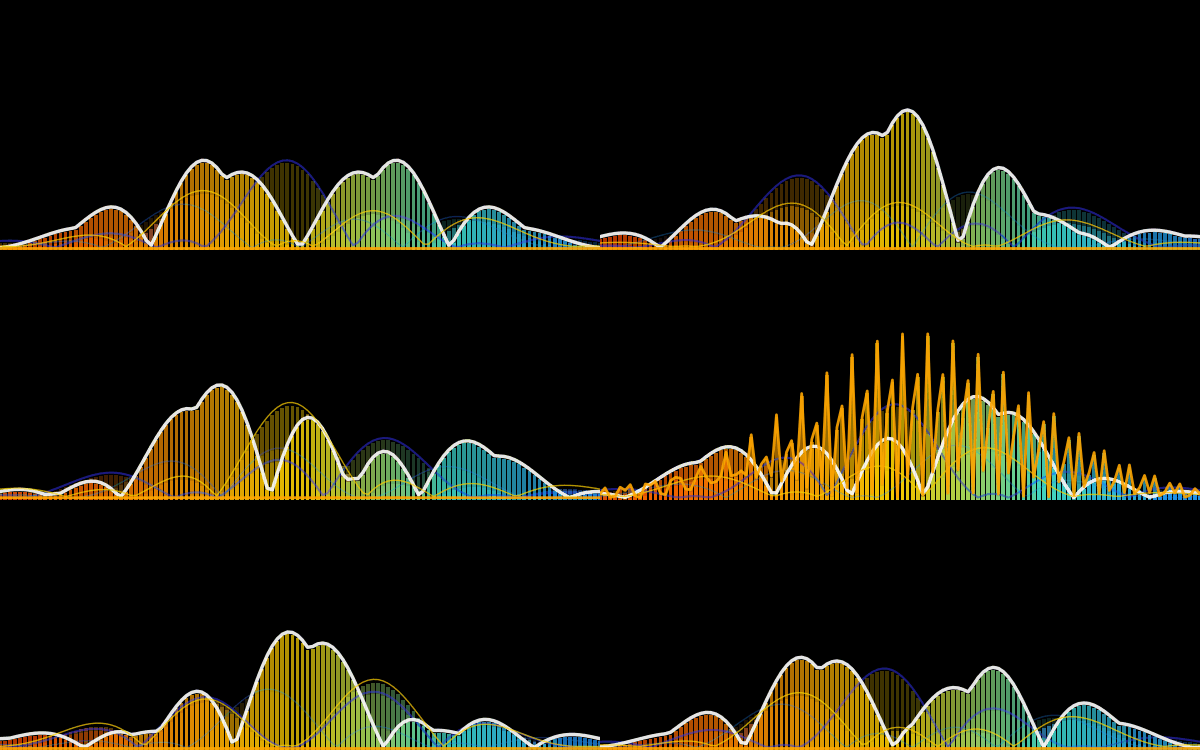
Iteration is Key: Don’t expect perfection on the first try. Explore multiple concepts and refine the strongest ones. Each version teaches you something!
“Jam” on Ideas: Brainstorm freely! No idea is a bad idea in the initial stages. Let your creativity flow and see what unexpected directions you can take.
Fail Faster: the more iterations that aren’t it, get you close to it.
Specificity Matters: The more specific you are about a brand’s essence, values, and target audience, the better your logo will represent you. Clearly define what you want to communicate visually.
What are your go-to tips for logo design? Share them in the comments! #logodesign #branding #designthinking #visualidentity #AI
import numpy as np
import matplotlib.pyplot as plt
import matplotlib.animation as animation
from matplotlib.colors import LinearSegmentedColormap
import os
# — Configuration —
SCRIPT_DIR = os.path.dirname(os.path.abspath(__file__))
FILENAME = os.path.join(SCRIPT_DIR, “splash_logo.gif”)
FRAMES = 50
FPS = 20
WIDTH, HEIGHT = 6, 2.5
BG_COLOR = “black”
# — Setup Figure —
fig = plt.figure(figsize=(WIDTH, HEIGHT), facecolor=BG_COLOR)
fig.subplots_adjust(left=0, right=1, bottom=0, top=1)
# — 2. Setup Wave Axes —
ax = fig.add_axes([0, 0.0, 1, 1.0], facecolor=BG_COLOR)
ax.set_axis_off()
ax.set_ylim(0, 22)
ax.set_xlim(0, 4 * np.pi)
# — 3. Data & Objects —
num_bars = 120
x_vals = np.linspace(0, 4 * np.pi, num_bars)
# Gradient (Orange -> Blue)
colors = [“#FF4500”, “#FF8C00”, “#FFD700”, “#40E0D0”, “#1E90FF”]
cm = LinearSegmentedColormap.from_list(‘orange_blue’, colors, N=num_bars)
bar_colors = cm(np.linspace(0, 1, num_bars))
# Helper to make a layer
def create_layer(alpha_bar, color_line, width_line, alpha_line):
# Always use the standard ‘bar_colors’ gradient
bars = ax.bar(x_vals, np.zeros(num_bars), width=0.08, color=bar_colors, alpha=alpha_bar)
line, = ax.plot([], [], color=color_line, linewidth=width_line, alpha=alpha_line)
return bars, line
# — CREATE 5 LAYERS (All Gradient) —
# 1. Deep Background
bars1, line1 = create_layer(0.15, ‘#1E90FF’, 1.0, 0.3)
# 2. Ghost
bars2, line2 = create_layer(0.25, “#3633FD”, 1.5, 0.5)
# 3. Main
bars3, line3 = create_layer(0.70, ‘white’, 2.5, 0.9)
# 4. Electric
bars4, line4 = create_layer(0.40, ‘#FFD700’, 1.0, 0.7)
# 5. HARMONIC SPIKE
# Removed color override. Now uses standard gradient bars.
# Line is White to show intensity (matching Main layer).
bars5, line5 = create_layer(0.60, “#FFA600”, 2.0, 0.9)
# — ENVELOPE (Wide Edges) —
envelope = np.exp(–0.025 * (np.linspace(–10, 10, num_bars))**2)
# — 4. Animation Logic —
def get_wave(t, offset_x, offset_t):
return np.abs(np.sin(x_vals + offset_x – t) * np.sin(0.5 * x_vals + t + offset_t))
def update(frame):
progress = frame / FRAMES
t = 2 * np.pi * progress # Perfect Loop
# — MATH FOR LAYERS —
# 1. Deep Background
h1 = get_wave(t, 1.0, 0) * envelope * 6 * (1.0 + 0.1 * np.sin(t))
# 2. Ghost
h2 = get_wave(t, 2.0, 1.5) * envelope * 8 * (1.0 + 0.15 * np.sin(2 * t))
# 3. Main
raw_main = get_wave(t, 0, 0) + (np.abs(np.sin(2 * x_vals – t * 2) * 0.3))
h3 = raw_main * envelope * 10 * (1.0 + 0.1 * np.sin(t))
# 4. Electric
raw_elec = get_wave(t * 2, 0.5, 3.0)
h4 = raw_elec * envelope * 7 * (1.0 + 0.2 * np.sin(3 * t))
# 5. THE HARMONIC SPIKE
# Trigger Logic: Active around t=3.5
spike_trigger = np.exp(–8 * (t – 3.5)**2)
# Harmonics: Sharp peaks
harmonics = np.abs(np.sin(12 * x_vals – t*5) * np.sin(18 * x_vals + t))
h5 = harmonics * envelope * 18 * spike_trigger
# — UPDATE PLOTS —
def update_set(bars, line, heights, line_offset):
for bar, h in zip(bars, heights):
bar.set_height(h)
line.set_data(x_vals, heights + line_offset)
# All lines now sit tight to the bars (offset 0.2)
# This keeps them on the “Same X Axis” visually
update_set(bars1, line1, h1, 0.2)
update_set(bars2, line2, h2, 0.2)
update_set(bars3, line3, h3, 0.2)
update_set(bars4, line4, h4, 0.3)
# Spike layer also sits tight
update_set(bars5, line5, h5, 0.2)
return list(bars1) + list(bars2) + list(bars3) + list(bars4) + list(bars5) + [line1, line2, line3, line4, line5]
# — 5. Generate and Save —
print(f“Generating {FRAMES} frames (Standard Colors)…”)
ani = animation.FuncAnimation(fig, update, frames=FRAMES, blit=False)
ani.save(FILENAME, writer=‘pillow’, fps=FPS, savefig_kwargs={‘facecolor’: BG_COLOR}, dpi=100)
print(f“✅ Saved to: {FILENAME}“)