
Design elements

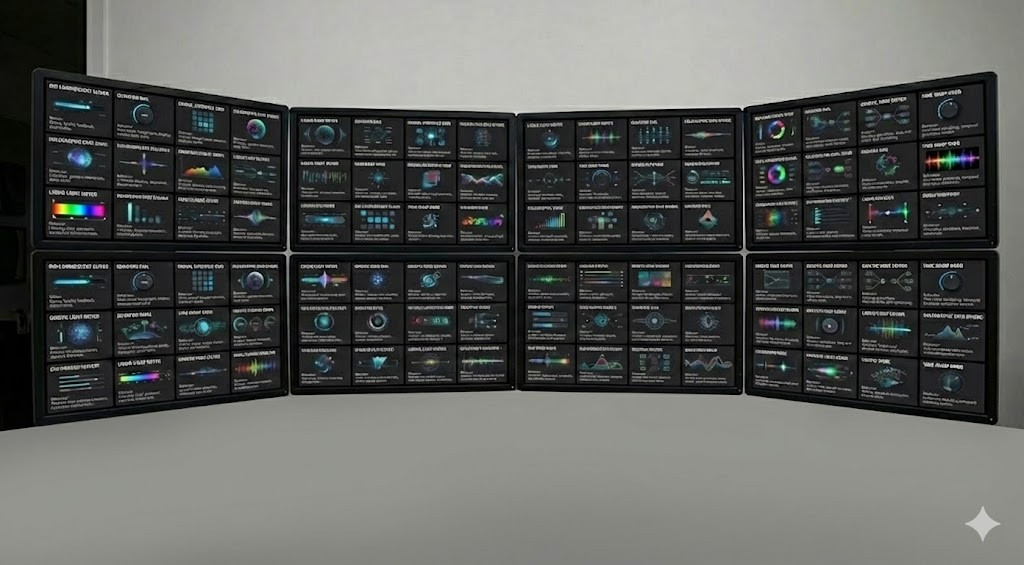
Audio & Signal Processing (1–20)
-
The Ferrofluid Fader
-
Type: Vertical Slider
-
Behavior: The “knob” is a blob of magnetic liquid. As you drag it up, it spikes and reacts to the “magnetic” pull of the cursor.
-
-
Shatter-Point Meter
-
Type: Peak Level Meter
-
Behavior: A glass bar. When the audio hits the “Red” (clipping) zone, the top of the glass visibly cracks and shards fly off.
-
-
The Tape-Head Scrubber
-
Type: Horizontal Slider
-
Behavior: Modeled after an analog tape head. As you drag, digital “rust” and magnetic dust particles fly off the cursor, simulating tape wear.
-
-
Sonar Ping Knob
-
Type: Rotary Dial
-
Behavior: Every time the knob passes a specific degree increment, a circular sonar wave pulses outward from the center, fading into the background.
-
-
Vacuum Tube Warmth Toggle
-
Type: Toggle Switch
-
Behavior: An unlit glass tube. When toggled “On,” a filament inside slowly glows orange, flickering slightly like an old amp.
-
-
The Equalizer Weave
-
Type: Multi-band EQ
-
Behavior: Instead of bars, the bands are threads in a fabric. Boosting a frequency pulls the thread tight; cutting it makes the thread slack and droopy.
-
-
Harmonic Orbitals
-
Type: Pan Control (L/R)
-
Behavior: A central planet (sound source) with a moon (listener). Panning moves the moon around the orbit.
-
-
The Mute “Silencer”
-
Type: Button
-
Behavior: When clicked, a heavy metal blast door slams shut over the audio icon horizontally.
-
-
Waveform Zipper
-
Type: Compression Threshold
-
Behavior: As you lower the threshold, a zipper graphic closes over the audio waveform, visually “flattening” the peaks.
-
-
Cable Patch Bay
-
Type: Routing Selector
-
Behavior: Clicking a source and destination shoots a animated cable that dangles with physics gravity between the two points.
-
-
The Vinyl RPM Selector
-
Type: Radio Buttons (33/45/78)
-
Behavior: Selecting a speed spins the button itself. 78 spins visibly faster/blurrier than 33.
-
-
Bit-Crush Slider
-
Type: FX Intensity Slider
-
Behavior: As the slider goes up, the UI element itself becomes pixelated and blocky, losing resolution.
-
Context: Lo-fi audio effects.
-
-
Stereo Field Spreader
-
Type: Width Knob
-
Behavior: Two vertical brackets
[ ]. Turning the knob pushes them apart. At max width, they glitch and duplicate.
-
-
The “Ghost” Reverb Knob
-
Type: Wet/Dry Mix
-
Behavior: As you turn it up, a smoky, transparent trail follows the knob’s indicator, lingering before fading.
-
-
Frequency Comb
-
Type: Filter
-
Behavior: A literal comb structure. As you sweep the filter, the teeth of the comb bend and snap back.
-
-
The Noise Gate Portcullis
-
Type: Gate Threshold
-
Behavior: A medieval-style gate with laser bars. When audio is below threshold, bars are solid. When audio passes, bars retract instantly.
-
-
LFO Pulse Vein
-
Type: Rate Indicator
-
Behavior: A distinct “vein” that pumps/bulges rhythmically according to the Low Frequency Oscillator speed.
-
-
The Feedback Loop
-
Type: Circular Slider
-
Behavior: As you increase feedback, the circle glows brighter until it turns blinding white and vibrates violently.
-
-
Audio DNA Helix
-
Type: Phase Correlation Meter
-
Behavior: Two twisting helix strands. In phase = strands flow parallel. Out of phase = strands tangle and turn red.
-
-
The “Drop” Button
-
Type: Momentary Switch
-
Behavior: Used for bass drops. When held, the button depresses deep into the screen and screen shake is applied to the surrounding UI.
-
Lighting & Color (21–40)
-
Prism Selector
-
Type: Color Picker
-
Behavior: A beam of white light hits a prism. You drag the prism’s angle to refract different colors onto the selection target.
-
-
The Dimmer Wick
-
Type: Vertical Slider
-
Behavior: A burning candlewick. Dragging down lowers the flame size until it smokes and goes out.
-
-
Strobe Hz Dial
-
Type: Speed Control
-
Behavior: The dial itself flashes black and white at the exact Hz rate currently selected.
-
-
Gobo Wheel Spin
-
Type: Dropdown/Selector
-
Behavior: A mechanical wheel that physically rotates slots (shapes) into front view with a heavy “clunk” animation.
-
-
Laser Galvo X/Y
-
Type: 2D Pad
-
Behavior: A glowing green dot. Moving it leaves a temporary laser-burned trail on the pad surface.
-
-
Kelvin Temperature Bar
-
Type: Horizontal Slider
-
Behavior: Gradient from blue to orange. The slider handle changes from an ice cube (left) to a burning coal (right).
-
-
DMX Address Dipswitch
-
Type: Binary Input
-
Behavior: Old-school red mini-switches. Flipping them requires a precise click, accompanied by a plastic “snap” sound.
-
-
Bloom Intensity
-
Type: Radial Knob
-
Behavior: As turned up, the UI element creates a “bloom” lens flare that obscures the labels next to it (simulating brightness).
-
-
RGB Mixing Vials
-
Type: 3 Vertical Sliders
-
Behavior: Three syringes filled with Red, Green, and Blue liquid. Moving sliders injects liquid into a central mixing chamber.
-
-
The Blackout Switch
-
Type: Big Toggle
-
Behavior: A safety cover must be flipped up first. Then the switch creates a “power down” sound and momentarily dims the entire user’s screen.
-
-
Beam Angle Cone
-
Type: Triangular Drag
-
Behavior: Dragging the base of a light cone widens/narrows it. Dust motes are visible floating inside the light cone.
-
-
Neon Gas Tube
-
Type: On/Off Indicator
-
Behavior: Flickers and buzzes before establishing a solid steady light.
-
-
God-Ray Toggle
-
Type: Effect Switch
-
Behavior: When on, volumetric light rays pierce through the button text from behind.
-
-
Shadow Softness
-
Type: Blur Slider
-
Behavior: The slider handle casts a shadow. Moving right makes the shadow blurrier; moving left makes it hard-edged.
-
-
The Lens Flare Iris
-
Type: Circular Aperture
-
Behavior: Opening the aperture causes hexagonal lens flares to rotate across the button surface.
-
-
Phosphor Decay
-
Type: History Graph
-
Behavior: Old CRT monitor style. Previous values leave a green ghost trail that slowly fades to black.
-
-
Spark Gap
-
Type: Connection Status
-
Behavior: Two electrodes. When connected, a continuous electric arc jumps between them.
-
-
Bioluminescence Toggle
-
Type: Night Mode Switch
-
Behavior: The UI turns into deep sea colors, and elements glow softly like jellyfish.
-
-
UV Reveal
-
Type: Layer Visibility
-
Behavior: A “flashlight” cursor that reveals hidden purple text/markers only where you hover.
-
-
Solar Flare
-
Type: Master Brightness
-
Behavior: A burning sun. Increasing brightness causes solar prominences (loops of fire) to erupt from the edge.
-
Video & Timeline (41–60)
-
The Celluloid Strip
-
Type: Timeline
-
Behavior: The timeline looks like physical film stock. Sprocket holes on the side vibrate as the video plays.
-
-
Glitch Transition Box
-
Type: Dropdown
-
Behavior: The menu items are illegible/scrambled until you hover over them, at which point they stabilize into clear text.
-
-
Splicing Razor
-
Type: Cut Tool
-
Behavior: The cursor becomes a razor blade. Clicking slices the clip, leaving a microscopic gap of light between the two pieces.
-
-
Time-Warp Jog Wheel
-
Type: Shuttle Control
-
Behavior: Spinning fast clockwise blurs the surrounding UI radially (tunnel vision effect).
-
-
Frame-Rate Ratchet
-
Type: Stepped Slider
-
Behavior: Moves in discrete, mechanical “clunks,” representing 24fps, 30fps, 60fps. Sparks fly at 120fps+.
-
-
Keyframe Diamond
-
Type: Marker Button
-
Behavior: When clicked, the diamond rotates 45 degrees and locks into the timeline with a metallic “thud.”
-
-
Buffer Wheel
-
Type: Loading Indicator
-
Behavior: Not a circle, but a snake eating its own tail (Ouroboros). It gets fatter as the buffer fills.
-
-
Color Grade Palette
-
Type: XY Pad
-
Behavior: An artist’s painter palette. Moving the cursor “smears” the oil paints together.
-
-
The “Rec” Tally
-
Type: Status Light
-
Behavior: A red bulb that pulses slowly like a breathing heartbeat, signaling active recording.
-
-
Vignette Squeeze
-
Type: Effect Slider
-
Behavior: As you increase the vignette, the corners of the actual UI window darken, making the workspace feel claustrophobic.
-
-
Grain Shaker
-
Type: Noise Amount
-
Behavior: A container of sand. Increasing the value shakes the container, making the sand fly around frantically.
-
-
Resolution Ladder
-
Type: Vertical Picker (720p/1080p/4K)
-
Behavior: Selecting higher resolutions sharpens the font of the menu item itself. 4K is razor sharp; 720p is slightly soft.
-
-
The Clapperboard
-
Type: Sync Button
-
Behavior: Top arm swings down and “claps.” The sound wave of the clap is visually generated next to it.
-
-
Pixel-Sort Drag
-
Type: Transition Duration
-
Behavior: Dragging the transition length stretches the pixels of the handle horizontally like a data-mosh error.
-
-
Chroma Key Eyedropper
-
Type: Color Selector
-
Behavior: The cursor acts as a vacuum. When you click a color (green), the green is sucked out of the preview thumbnail instantly.
-
-
Motion Blur Trail
-
Type: Toggle
-
Behavior: When active, the mouse cursor itself gains a trail of 5 semi-transparent copies.
-
-
Render Furnace
-
Type: Progress Bar
-
Behavior: A bar that heats up from grey to red to white hot as the render nears 100%.
-
-
LUT Cube Rotator
-
Type: 3D Cube Interface
-
Behavior: A 3D wireframe cube you rotate to select different Look Up Tables (color profiles) on each face.
-
-
Safe Margins Overlay
-
Type: Toggle
-
Behavior: Projects faint laser grid lines over the video preview.
-
-
Video Scrubber Tape
-
Type: Timeline
-
Behavior: Resembles yellow police tape. Dragging it stretches the text “DO NOT CROSS” until it snaps.
-
Sci-Fi & Data Dashboards (61–80)
-
Holographic Stack
-
Type: Menu
-
Behavior: Items are stacked glass panes in 3D depth. Hovering brings a pane forward; clicking illuminates the edges.
-
-
Radar Sweep Map
-
Type: Location/Target Picker
-
Behavior: A green sweep arm rotates. New targets (dots) only appear when the sweep hits them, then fade.
-
-
Biometric Hand Scanner
-
Type: Login Button
-
Behavior: A wireframe hand appears. It scans the user’s cursor position and matches it to the wireframe.
-
-
Reactor Coolant Levels
-
Type: Dual Vertical Bars
-
Behavior: Bubbling blue liquid. If levels drop too low, warning steam vents from the sides of the bars.
-
-
Shield Hexagons
-
Type: Health/Status
-
Behavior: A honeycomb grid. Taking “damage” (data load) causes individual hexes to turn red and shatter.
-
-
Encrypted Text Stream
-
Type: Text Output
-
Behavior: Text scrolls vertically in alien symbols, then rapidly decodes into English character by character (The Matrix effect).
-
-
Orbital Alignment
-
Type: Tuning Knob
-
Behavior: Three rings rotating on different axes. You must turn the knob to align them into a perfect sphere.
-
-
Trajectory Parabola
-
Type: Graphing Tool
-
Behavior: Dragging an endpoint calculates a dotted flight path with gravity physics logic displayed in real-time numbers.
-
-
The “Nuclear” Cover
-
Type: Confirmation
-
Behavior: A transparent plastic safety cover you must “drag” up before you can click the red button underneath.
-
-
Signal Strength Wave
-
Type: Connection Meter
-
Behavior: A sine wave. Weak signal = low amplitude, jittery line. Strong signal = smooth, high amplitude wave.
-
-
Cryo-Chamber Frost
-
Type: Sleep Mode Button
-
Behavior: The button slowly frosts over with ice crystals from the edges inward when hovered.
-
Context: Putting a system to sleep.
-
-
Target Lock Reticle
-
Type: Selection Tool
-
Behavior: A sci-fi HUD square that rotates and snaps onto the selected object, changing from red to green with a “beep.”
-
-
Oxygen Tank Gauge
-
Type: Circular Meter
-
Behavior: A needle gauge where the glass face is cracked. The needle jitters nervously.
-
-
Warp Drive Throttle
-
Type: Thruster Lever
-
Behavior: Pushing forward stretches the “stars” in the background into lines (warp speed visual).
-
-
Neural Link Nodes
-
Type: Network Graph
-
Behavior: Nodes are brain synapses. Connecting them causes a spark of electricity to travel down the line.
-
-
Data Shard Slot
-
Type: File Upload
-
Behavior: Looks like a physical slot. Dragging a file in looks like inserting a glowing data cartridge.
-
-
Proximity Alarm
-
Type: Warning Light
-
Behavior: A silent pulse that speeds up (flashes faster) as the cursor approaches a danger zone.
-
-
Fuel Cell Battery
-
Type: Power Indicator
-
Behavior: A transparent canister with glowing green rods. As power drains, the rods dim and retract.
-
-
Encryption Keydial
-
Type: Password Input
-
Behavior: concentric rings with glyphs. You have to rotate rings to match symbols rather than typing.
-
-
Planetary Scanner
-
Type: Search Bar
-
Behavior: A rotating wireframe globe. Typing a location spins the globe to that coordinate and zooms in.
-
Industrial & Experimental (81–100)
-
Hydraulic Press Button
-
Type: Action Button
-
Behavior: Extremely heavy visual weight. Clicking it requires a “long press,” and the button descends slowly with a mechanical hiss.
-
-
Pressure Valve
-
Type: Release Knob
-
Behavior: Turning it releases a jet of steam (particle effect) from the side of the UI.
-
-
Geiger Counter Needle
-
Type: Activity Monitor
-
Behavior: The needle ticks randomly and sporadically, accompanied by clicking sounds, rather than a smooth sweep.
-
-
Blueprint Reveal
-
Type: Info Toggle
-
Behavior: Turns the UI into a blue-and-white architectural schematic style.
-
-
Rust Accumulator
-
Type: Age/Time Indicator
-
Behavior: A clear metal plate that slowly accumulates rust textures over time (representing file age).
-
-
Caution Stripes
-
Type: Divider Line
-
Behavior: Yellow and black diagonal stripes that scroll slowly to the left.
-
-
Molten Slag Loader
-
Type: Loading Circle
-
Behavior: A crucible pouring molten metal into a circular mold. It cools to solid when loading is done.
-
-
Circuit Breaker
-
Type: On/Off Switch
-
Behavior: A heavy physical lever. If the system “overloads” (error), the breaker physical pops back to Off.
-
-
Seismograph Pen
-
Type: Data Logger
-
Behavior: A mechanical arm drawing a jagged line on a scrolling roll of paper.
-
-
Chain Link Slider
-
Type: Vertical Slider
-
Behavior: The handle is attached to a heavy chain. Dragging it up pulls the chain link by link with a metallic rattling sound.
-
-
Acid Bath Delete
-
Type: Trash/Remove
-
Behavior: Dropping an item here causes it to dissolve into bubbling green sludge.
-
-
Pneumatic Tube
-
Type: Send/Submit
-
Behavior: The message is sucked into a clear plastic tube and whooshes off-screen.
-
-
Toggle “Switchblade”
-
Type: Hidden Menu
-
Behavior: Clicking a small handle causes the menu to snap out rapidly like a switchblade knife.
-
-
The Furnace Door
-
Type: Brightness/Gamma
-
Behavior: A heavy iron door. Opening it (sliding right) reveals blinding white light that illuminates the UI.
-
-
Clockwork Gears
-
Type: Processing Icon
-
Behavior: Interlocking brass gears that actually mesh and turn. If the process hangs, a gear jams and sparks.
-
-
Sonar Depth Chart
-
Type: EQ Visualizer
-
Behavior: Underwater aesthetic. Frequencies are ocean floor terrain; audio is the water surface above.
-
-
Laser Etcher
-
Type: Text Input
-
Behavior: Letters aren’t typed; they are burned into the surface by a laser, leaving glowing hot edges that cool down.
-
-
Tesla Coil Arc
-
Type: Link Connector
-
Behavior: Drawing a line between two nodes creates a jagged, purple lightning bolt that crackles.
-
-
Bio-Hazard Iris
-
Type: Security Gateway
-
Behavior: A metallic door that spirals open. Red warning lights spin while it is opening.
-
-
The “Big Red Button” * Type: Emergency Stop * Behavior: Enclosed in a glass case. You must click to break the glass (sound of shattering) before you can press the button.